Communication in a professional and technical setting often suffers from a structural deficit. When building complex software, managing intricate systems, or learning dense academic subjects, the default human behavior is to list tasks. You detail the lines of code written, the specific bugs fixed, or the abstract concepts you just researched. However, raw data without strategic framing often gets lost in the noise. Leadership, stakeholders, and collaborators do not need a chronological list of activities; they need decisions, outcomes, and clarity.
The Quiet Operator Lab addresses this exact bottleneck. It is not an AI text generator designed to write generic, fluffy emails. Instead, it is a highly engineered executive-communication prompt system that serves as a strategic "rewriter" for your thoughts. By shifting the focus from "What did I do?" to *"What does this mean?"*The system helps technical contributors compress reality into actionable insights, ensuring their work is immediately understood and valued.
Key Takeaways
- Structural Rewriting: Transforms standard, task-based updates into outcome-based executive summaries.
- 45 Battle-Tested Prompts: Spans five core disciplines, including Executive Communication, Meetings & Decisions, and Daily Toolkits.
- Mindset Over Volume: Focuses on how to structure your thinking before you touch an AI tool, preventing the common issue of AI generating polite but useless corporate fluff.
- Interactive Tooling: Offers both one-time purchase prompt libraries and an interactive decision-tracking web app.
Who Can Use It (And What You Can Do)
The Quiet Operator system is explicitly built for senior professionals who need their work to be understood by leadership. However, its utility extends heavily to technical builders, full-stack developers, and self-guided learners who struggle to translate their deep work into accessible updates.
When you are developing complex machine learning pipelines for a fintech product or migrating the backend database for a high-traffic SaaS platform, the way you present your progress dictates how it is received. If you submit a sprint update to a startup founder, simply listing the API endpoints you connected sounds purely operational. It makes important technical work appear small.
Using The Quiet Operator’s framework, you can rewrite that raw data to focus on the impact. The system trains you (and your AI of choice) to extract the strategic value: how those specific endpoints reduce latency, scale the user base, and accelerate the product's go-to-market timeline. It makes it exceptionally easy for non-technical stakeholders to make quick decisions.
It is equally effective for deep self-study. When self-learning dense subjects like Operating Systems, running your raw, unstructured notes through these specific prompts forces you to distill abstract, academic concepts into clear, functional knowledge.
3 Common Communication Mistakes This System Rewrites
Even highly skilled developers and analysts struggle with communication architecture. When you lack a clear framework, it is easy to fall into traps that silently throttle your professional momentum. The Quiet Operator is designed to rewrite these exact errors:
- The "Operational" Trap: The most common mistake is answering the question "What did I do?" instead of "What does this mean?" An operational update lists tasks (e.g., "I wrote the WebSocket integration and fixed a bug."). The system forces a rewrite that removes the task list and replaces it with a business outcome (e.g., "Server stability improved, allowing us to safely scale concurrent users without latency spikes.").
- Burying the Lead: Technical professionals naturally explain things chronologically, walking the reader through the entire problem-solving process and leaving the actual decision for the final sentence. The Quiet Operator prompts restructure your drafts to front-load the critical signal, placing the required decision at the top and moving the context to the bottom. This drastically reduces cognitive load for the reader.
- Over-Relying on AI Volume: Generic AI tools like ChatGPT tend to output paragraphs of polite, sycophantic text. Without strict constraints, AI expands information rather than condensing it. The Quiet Operator’s architecture places rigid boundaries on the AI, ensuring the output is heavily compressed, authoritative, and entirely stripped of unnecessary jargon.
Why Structured Communication is Indeed Important
In any collaborative or technical environment, the difference between a junior contributor and a senior operator is rarely raw knowledge; it is the structure of their communication. Structured communication is indeed important because attention is the most scarce resource in any organization.
When a stakeholder reads an update, they are actively scanning for friction points, required approvals, and strategic momentum. If they have to sift through paragraphs of operational details to find the single sentence that requires their attention, you become a source of friction. By structuring your communication to highlight the decision point immediately, you position yourself as a high-leverage operator.
This is particularly vital in remote work and asynchronous environments where you cannot rely on tone of voice, meetings, or body language to convey importance. The written word must carry the entire weight of your strategy. If your writing is unorganized, your thinking appears unorganized. The Quiet Operator framework enforces a discipline that guarantees your signal is never lost in the noise.
How to Use the Rewriter Workflow in 4 Simple Steps
The core prompt system is not a standalone app you have to log into; it is a framework you apply to your existing AI tools (like Claude, Gemini, or ChatGPT). The workflow takes only a few minutes from start to finish.
1. Access the Framework
The system is hosted at thequietoperatorlab.com and fulfilled instantly via Gumroad. You begin by downloading the prompt library and reading the introductory mental model guide, which sets the baseline for how to interact with the prompts.
2. Input Your Raw Data
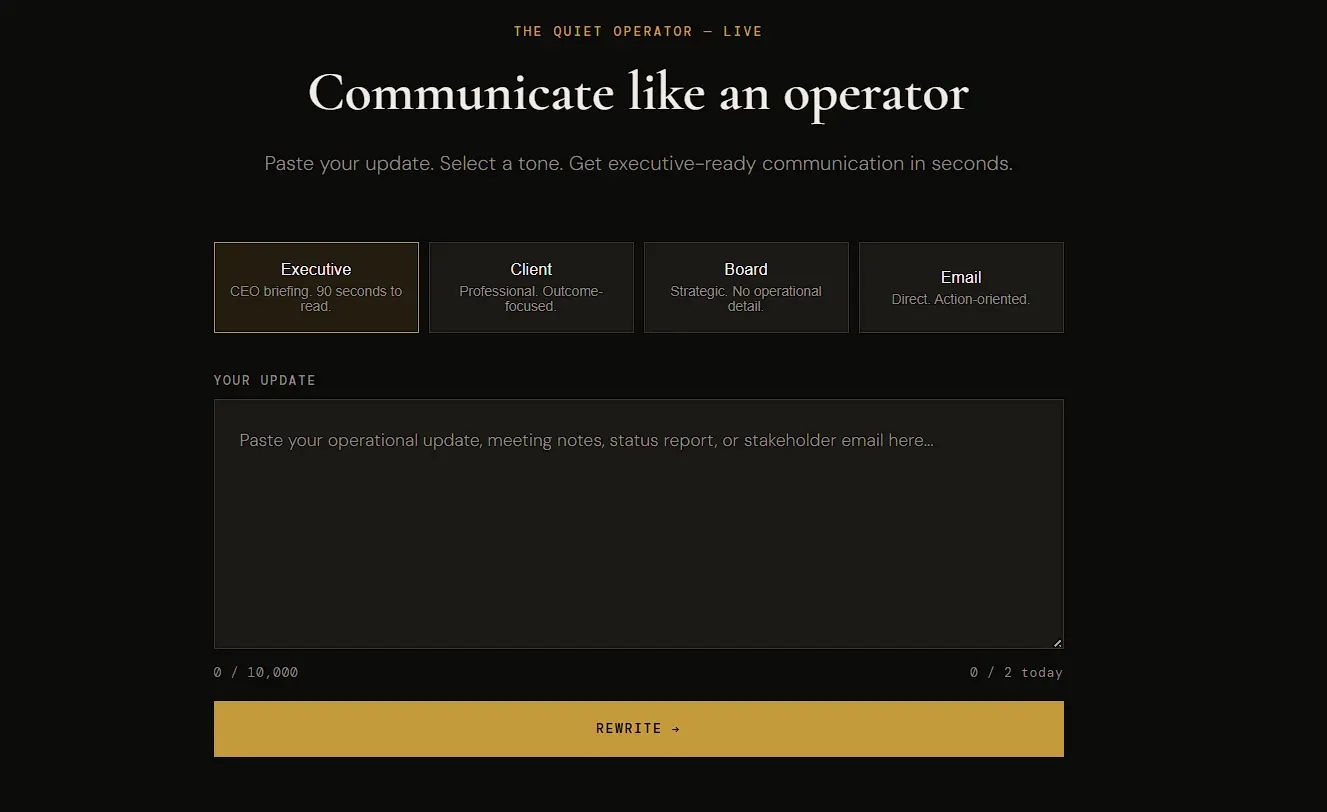
Take your standard, operational draft. This could be a messy brain-dump of the coding tasks you completed, the academic research you just conducted, or the blockers you are currently facing on a project. Do not worry about formatting; just get the raw facts onto the screen.
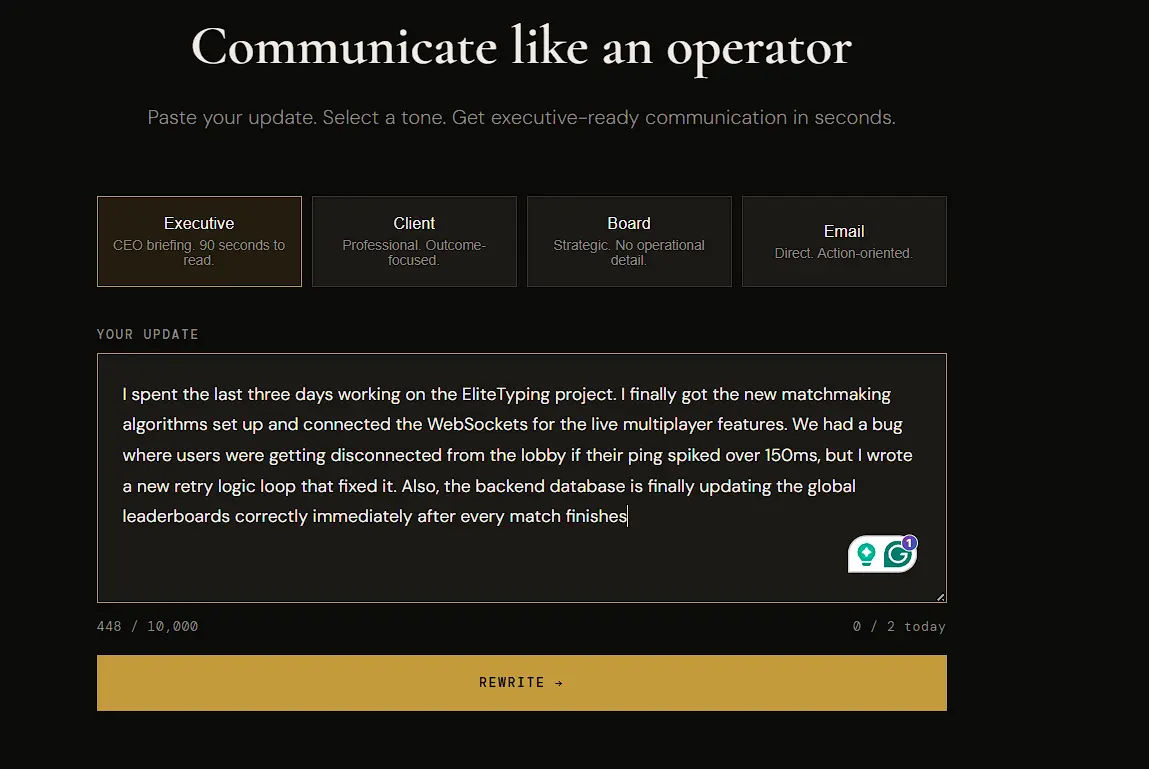
3. Apply the Specific Prompt (The Rewrite)
Select the appropriate prompt from the 45 available templates or the Live web interface. If you are sending an update to a CEO, you might select an "Executive Summary" prompt. If you are trying to choose a tech stack, you might select a "Decision Framing" prompt. Feed your raw data into your preferred AI, along with the specific Quiet Operator prompt constraint.
4. Review, Extract, and Implement
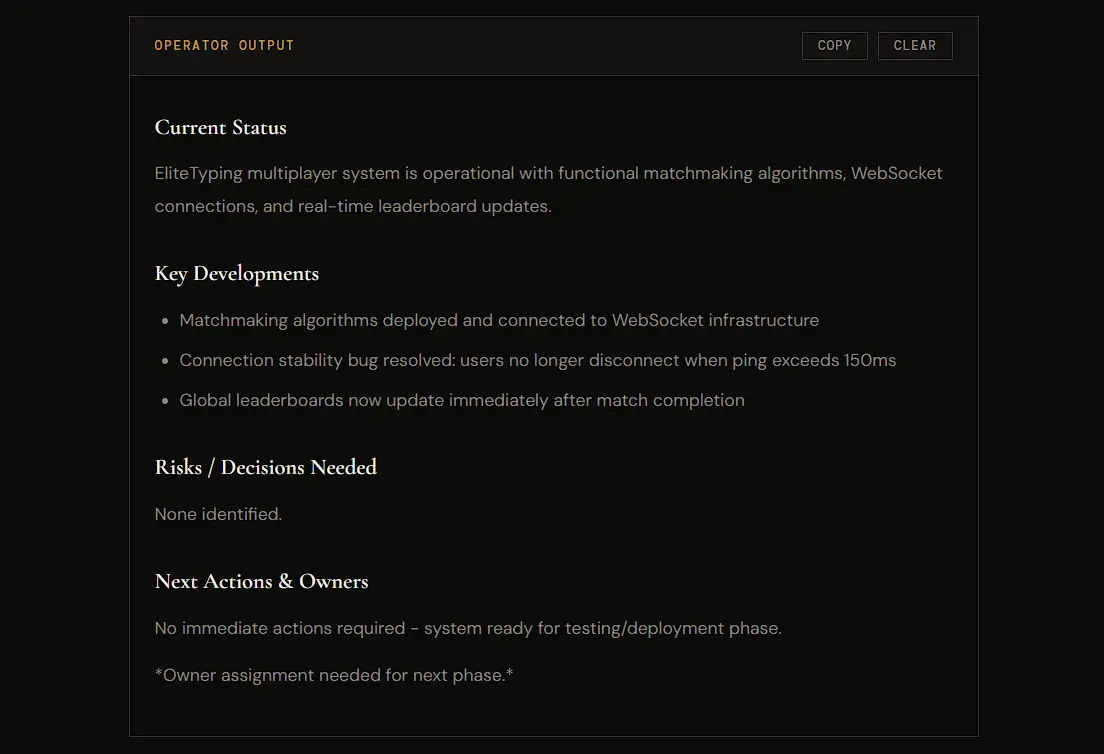
The AI will process the prompt and return a restructured, highly compressed version of your text. Because the prompts are heavily engineered, the output will not sound like a robot; it will sound like a concise, senior professional. Review the output to ensure the technical nuances are accurately preserved, then deploy it directly to your team, your stakeholders, or your personal documentation.
Plans & Pricing
The Quiet Operator Lab offers a mix of high-leverage digital assets for a one-time purchase, alongside an interactive software tier for ongoing decision tracking.
- Before the Prompt (Free): A foundational PDF guide detailing the mental models required to use AI effectively. It teaches the skill of thinking structurally before you ever touch a prompt.
- The AI Survival Guide ($9.99 One-time): A practical FAQ addressing common professional anxieties regarding AI integration.
- The Quiet Operator Prompt System ($19.99 One-time): The flagship product. Includes all 45 structured AI prompts across the 5 core disciplines (Executive Communication, Meeting & Decision, Career Acceleration, Daily Toolkit, and Operator Adjustments). Includes lifetime updates.
- 13 Almost Rules for Life … With AI ($24.99 One-time): The philosophy playbook. 13 chapters of career-tested principles for thinking clearly, communicating with structure, and building the professional skills that never depreciate. This is the book behind the entire system.
- Mirror — Decision Intelligence ($7/mo, Free tier available): An interactive web app designed as the decision intelligence layer of The Quiet Operator. It acts as a structured journal where you log decisions before knowing the outcome and review them later, surfacing patterns your own thinking might miss.
Which Plan Should You Go For?
Choosing the right entry point depends entirely on your current familiarity with structural thinking and what tools you need right now.
- Start with the Free Guide if: You are entirely new to using AI for structural thinking. If you just want to understand the "Operator Mindset" and see how strategic framing works before committing any funds, this guide provides a solid, zero-risk baseline.
- Choose the Flagship System ($19.99) if: You are actively building software projects, reporting to stakeholders, or documenting complex self-study sessions. The 45 prompts provide immediate, deployable value that will instantly alter how you write project updates. If you want the actual "rewriter" utility, this is the core package you need.
- Read the '13 Almost Rules' Book ($24.99) if: You want the deep, underlying philosophy of how senior operators think, rather than just the tactical prompts.
- Subscribe to Mirror ($7/mo) if: You want an interactive software tool to actively calibrate your decision-making over time, rather than just relying on static prompts to improve your written updates.
Our Honest Take
The Quiet Operator Lab is a highly specific, highly effective utility. It is not a magical software application with a graphical interface; it is a repository of strictly engineered logic.
If you are looking for an automated tool that writes your emails while you sleep, or a tool that generates endless marketing copy, this is not it. However, if you understand that AI's true power lies in structuring thought rather than just generating volume, this system is an exceptionally high-ROI asset.
At $19.99 for the core prompts, it costs less than a single technical textbook but provides a communication framework that will permanently upgrade how your work is perceived by others. It replaces the anxiety of wondering how to phrase a complex technical update with a repeatable, reliable operational standard. It is a highly practical investment for anyone who relies on clear written communication to move their projects forward.

