Whether you are launching a new product or trying to scale an existing business, keeping a close eye on your market is crucial. Usually, competitor analysis means managing messy spreadsheets, manually checking pricing pages every week, and stalking rival social media accounts to see what features they are shipping or what ads they are running. It is tedious, manual work that drains your time and focus.
Lenzly was built to solve this exact problem. It is an AI-powered competitor intelligence hub that puts market research on autopilot. You simply provide your website URL, and the AI automatically identifies your direct competitors, tracks their ad campaigns, and even generates sales battle cards so your team knows exactly how to win.
If you are ready to stop doing manual research, here is an in-depth look at how Lenzly’s platform works and the exact steps to build your first intelligence dashboard.
1. Step-by-Step Setup: Finding Your Rivals
Lenzly is designed to get you from a blank slate to a fully populated intelligence dashboard in under two minutes. Here is the exact onboarding flow.
Step 1: Sign Up
Create an account on Lenzly to get started. For the fastest setup, simply select Continue with Google to register instantly.
Step 2: Let's Find Your Competitors
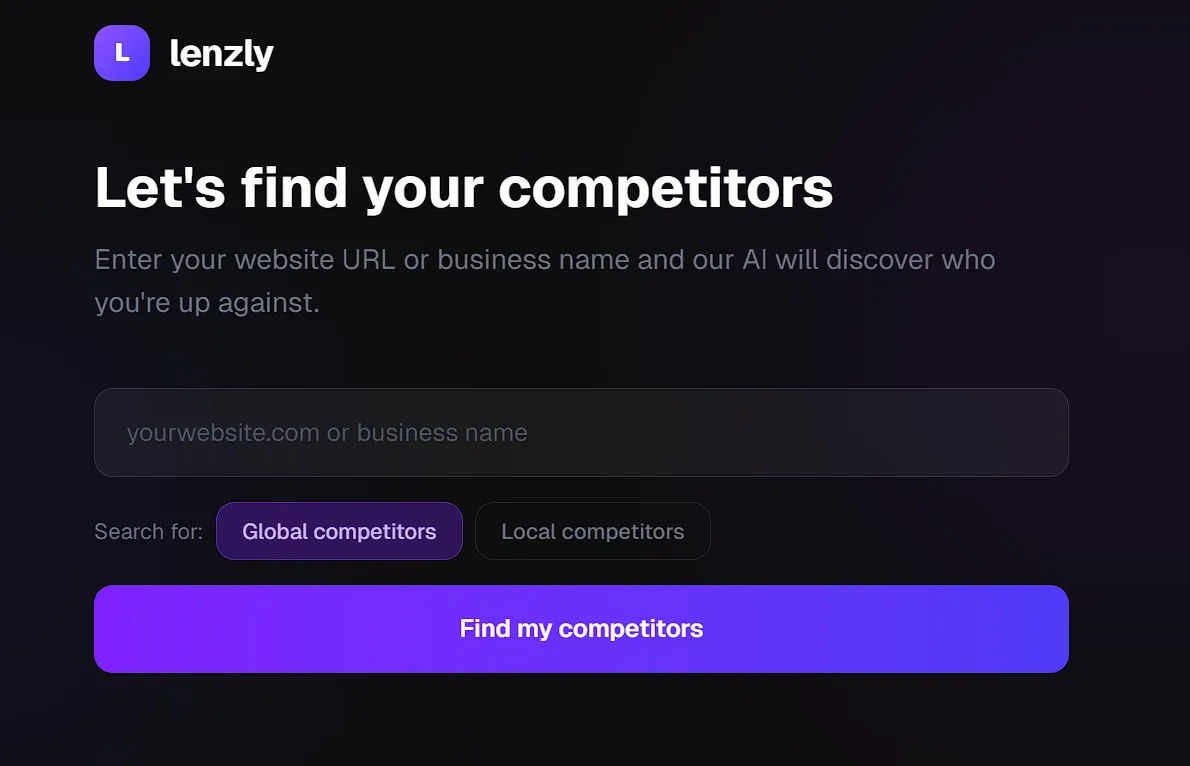
From the dashboard, simply enter your website URL or business name into the search bar. You then toggle between searching for Global competitors (best for SaaS and online tools) or Local competitors (best for brick-and-mortar or regional services) and click "Find my competitors."
Step 3: Select Who to Monitor
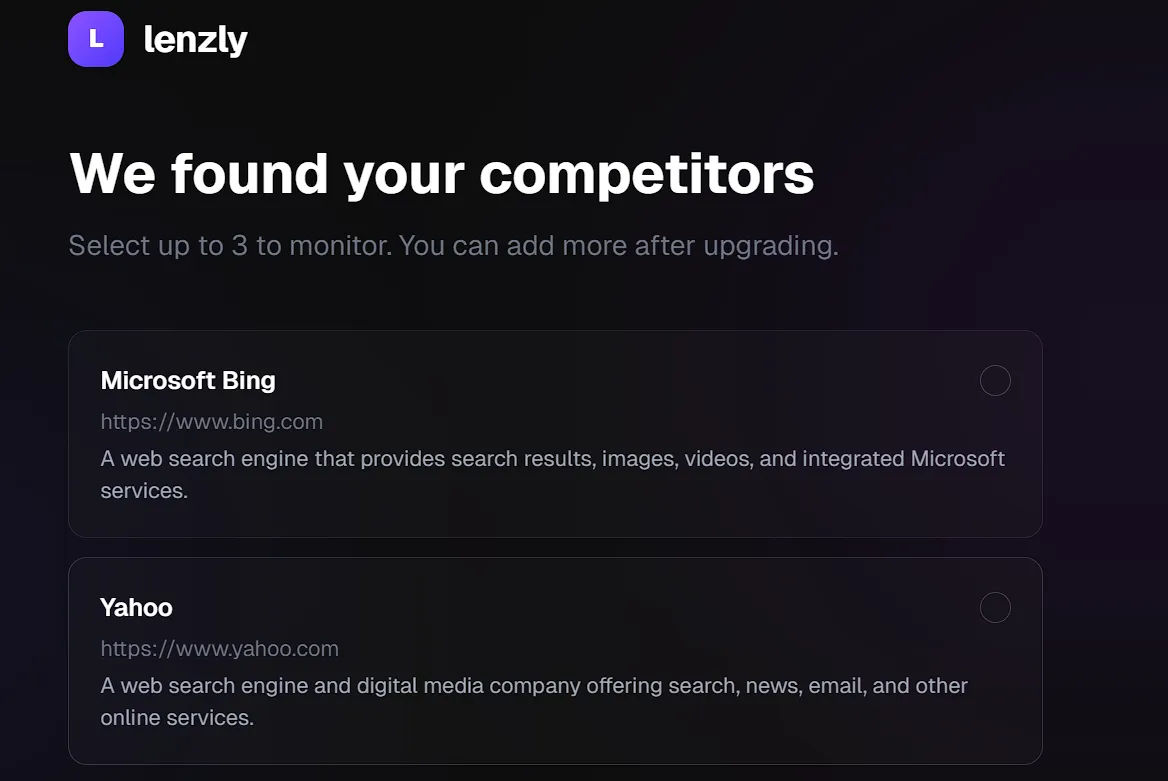
Lenzly's AI will scan your provided URL, analyze your industry, and present a curated list of businesses you are up against. For example, if you input a search engine, it will instantly pull up profiles for Microsoft Bing, Yahoo, Baidu, DuckDuckGo, and Yandex, complete with short descriptions of what they do.
During this initial setup, you can select up to 3 competitors to monitor (with options to add more after upgrading). Once you make your selection, click "Monitor 1 competitor" (or however many you selected) to generate your workspace.
2. Inside the Dashboard: Your Competitor Intelligence Hub
Once the initial scan is complete, you are dropped into the main Dashboard. This is where Lenzly truly separates itself from a basic web scraper. It acts as a centralized hub broken down into five distinct tabs, each designed to give you a specific edge over your competition.
The "Competitors" Tab
This is your baseline overview. Here, you will see your selected rivals (e.g., Microsoft Bing) as the AI actively works in the background, displaying a "Fetching data..." status while it runs its initial deep scan. If the AI missed a niche competitor, you can easily use the "+ Add manually" or "+ Add via AI" buttons to expand your monitoring list.
The "Compare" Tab
This tab serves as your detailed tracking space. Once a competitor is fully scanned, you can click into this section to view the platform's automated insights side-by-side. If you notice something out in the wild—like a hidden pricing tier or a new landing page—you can click "+ Add your own finding" to keep all your team's research in one unified place.
The "Ads" Tab
Tracking what your competitors are spending money on is one of the best ways to understand their strategy. In the Ads tab, Lenzly allocates you a set number of searches per month. By clicking "Search Ads," the platform will fetch the currently active ad campaigns for that specific competitor, giving you instant insight into their marketing copy and target audience.
The "Head to Head" Tab
This is where you see exactly where you stand in the market hierarchy. You can select between 2 to 5 companies—including your own—to run a direct, AI-powered comparison. By putting your own business directly against a rival, the AI highlights overlaps, gaps in features, and market positioning.
The "Battle Cards" Tab
This is arguably the most powerful feature for B2B founders and sales teams. Instead of just giving you data, Lenzly turns that data into actionable sales enablement material. With a single click of the "Generate Battle Card" button, the AI creates a customized sales sheet for each competitor.
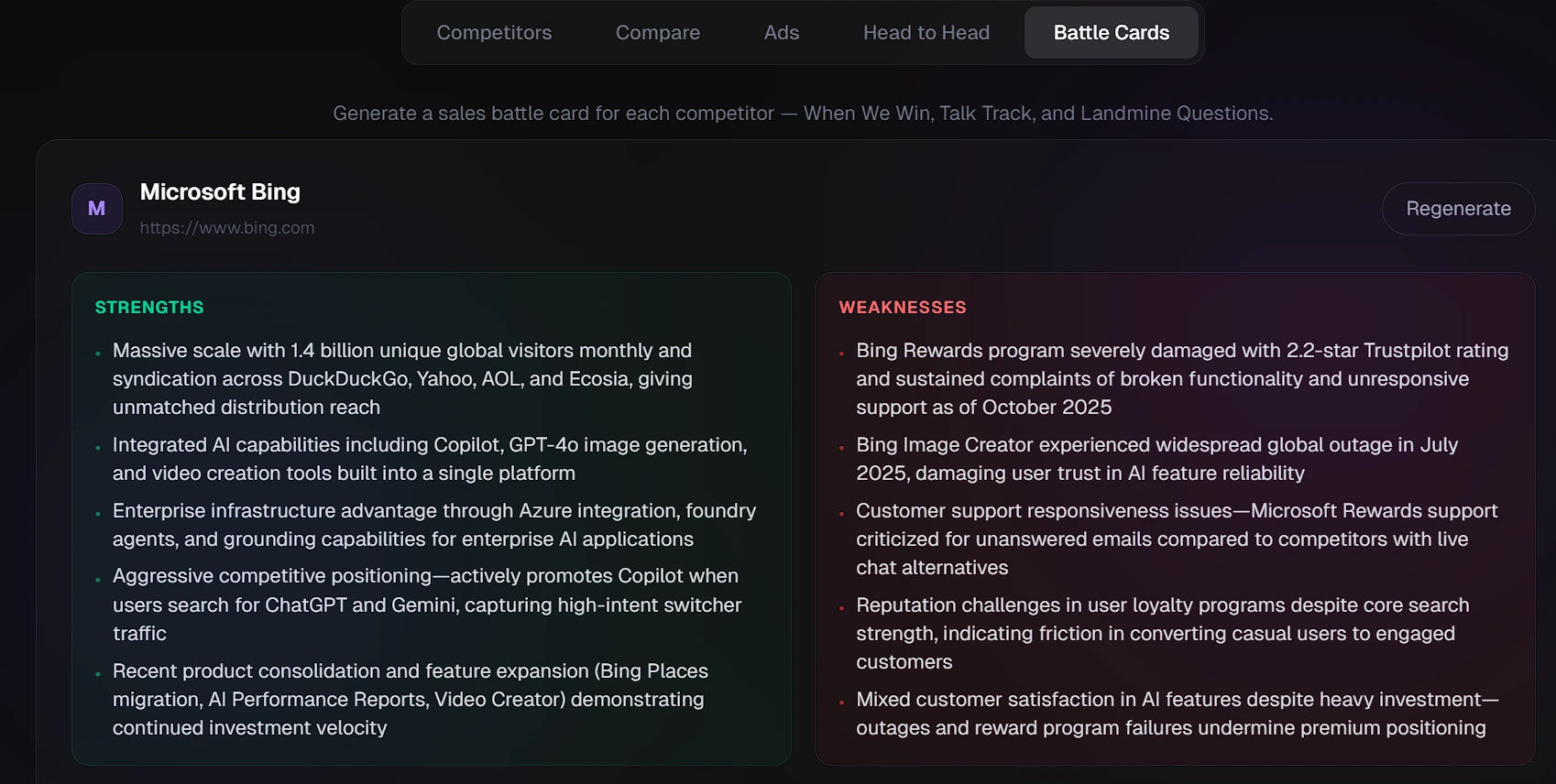
It automatically generates:
- When We Win: The specific scenarios where your product beats theirs.
- Talk Track: Exactly what your sales team should say to position your product better.
- Landmine Questions: Strategic questions your sales reps can ask prospects to highlight the competitor's hidden weaknesses.
Our Honest Opinion
Lenzly successfully bridges the gap between raw data collection and actionable business strategy.
For a solo founder or a busy sales team, spending hours every week checking competitor websites or searching for their Facebook ads is a massive waste of resources. By automating the discovery phase and packaging the intelligence into direct comparisons and sales-ready Battle Cards, Lenzly operates like an automated Chief Strategy Officer. It is a highly efficient, incredibly clean tool that takes the guesswork out of market research.


